

In this article, you will learn how to integrate H5P content into Knowledgeworker Create and what you should keep in mind when doing so.
What are H5P files?
H5P (HTML5 Package) is an open format for creating interactive HTML5 content. Typical H5P elements include interactive videos, presentations, quiz formats, or simple learning games. Technically, H5P content consists of HTML5, JavaScript, and CSS and is usually provided via a platform or a web server.
Integrating H5P content
You can integrate H5P content into a Knowledgeworker Create course in different ways.
Integration as a video stream
H5P content can be embedded if it is hosted on h5p.org, your own H5P platform, or a web server. For this type of integration, use the media type Video Stream.
- Insert a Media element into the content.
- On the right-hand side, choose Select Media Asset from Library and create a new media asset.
- Choose the file type Video Stream.
- In the Video Stream URL field, enter the embed URL of the H5P content (e.g., the embed URL if the H5P package is hosted directly on h5p.org).
- Specify the Width and Height in which the H5P content should be displayed.
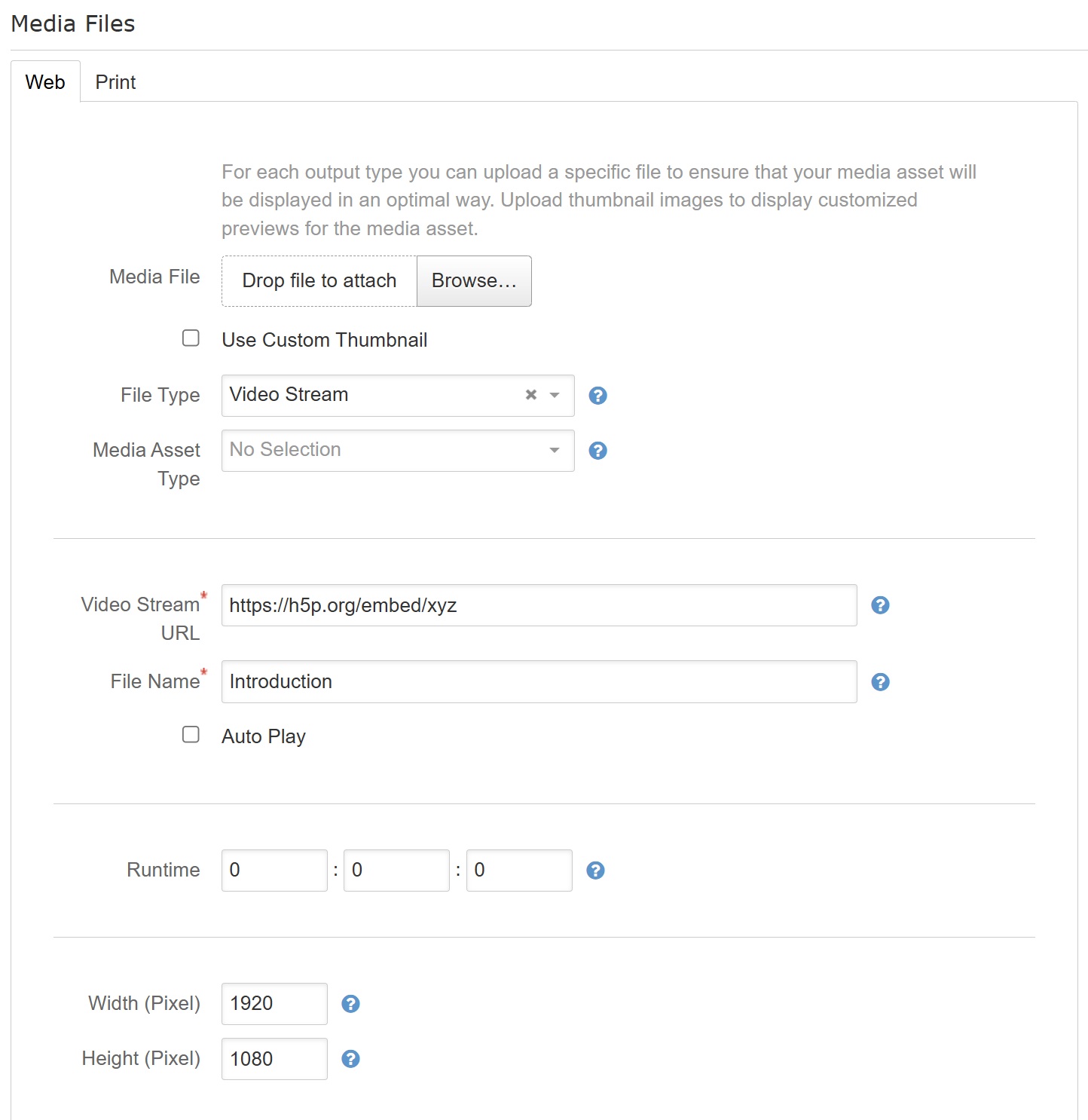
Integration as a standalone medium
If you do not have the option to embed H5P content from a server, contact us and we will check whether the H5P content can be integrated individually.
Notes on using H5P content
- Ensure hosting: Make sure that the H5P content is accessible to all intended users at all times.
- Keep content up to date: Ensure that embedded H5P content is updated regularly, especially in the case of content-related or technical changes.
- Test before publishing: Check the display and interaction of the H5P content in the final usage context (e.g., on different devices and browsers).
Was this article helpful?
That’s Great!
Thank you for your feedback
Sorry! We couldn't be helpful
Thank you for your feedback
Feedback sent
We appreciate your effort and will try to fix the article