

In this article, you will learn how to publish your online courses as a web package in the authoring tool Knowledgeworker Create and which settings you can apply in each case.
Before you start
Make sure that you have created a course that is ready for publication.
- Check that the displayed content status and settings meet your expectations.
- Check that all languages to be provided are fully translated.
- Open the Settings of your course and save the current status with Save and Update.
Creating a web package
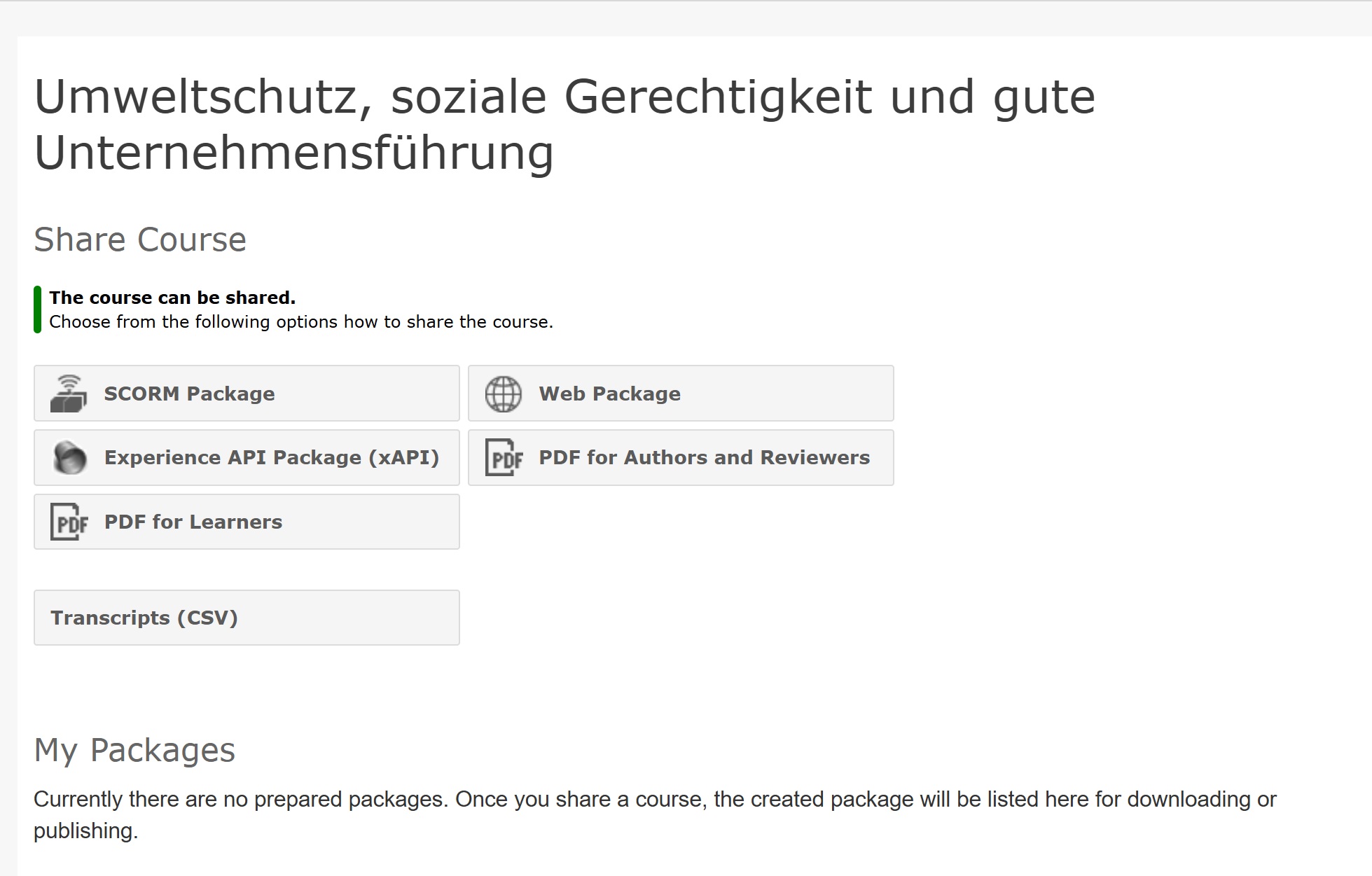
- Locate the course to be published and select Share. A dialog window opens with various options and information about existing packages.
- Select the Web Package option. Details on all setting options for the web package can be found in the article The Export Functions in Action.
- Select Export.
- After creating the package, you can share it on the web (with a QR code) or save it as a file.
- Next, determine the validity period for a web publication. The following options are available by default:
- 30 days
- 3 months
Other configurable options include publication for 7 days or permanent publication. Contact us to have the corresponding option activated for you.
- Once the course is published as a web package, you will see the web package in the list Published Web Packages under Share on the course. Here you can view the URL and access credentials, selected languages, and the validity period at any time, as well as edit password settings.
Sie haben noch kein Autorentool zur Erstellung von Onlinekursen?
Erfahren Sie, wie Sie mit Knowledgeworker
Create interaktive Lerninhalte erstellen.
Don't have an authoring tool for creating online courses yet?
Learn how to create interactive learning content with Knowledgeworker Create.
Sie haben noch kein Autorentool zur Erstellung von Szenarien?
Erfahren Sie, wie Sie mit Knowledgeworker Coach interaktive Szenarien und Gesprächstrainings erstellen.
Don't have an authoring tool to create scenarios yet?
Learn how to create interactive scenarios and conversation training with Knowledgeworker Coach.
Was this article helpful?
That’s Great!
Thank you for your feedback
Sorry! We couldn't be helpful
Thank you for your feedback
Feedback sent
We appreciate your effort and will try to fix the article