

Knowledgeworker Share provides five post types when creating a post to communicate information to learners in a targeted way. The post type determines which settings and functions are available for the relevant post. Because the post type cannot be changed later, choosing the correct type when creating a post is essential. This article provides a brief overview of the key information about the five post types in Knowledgeworker Share.
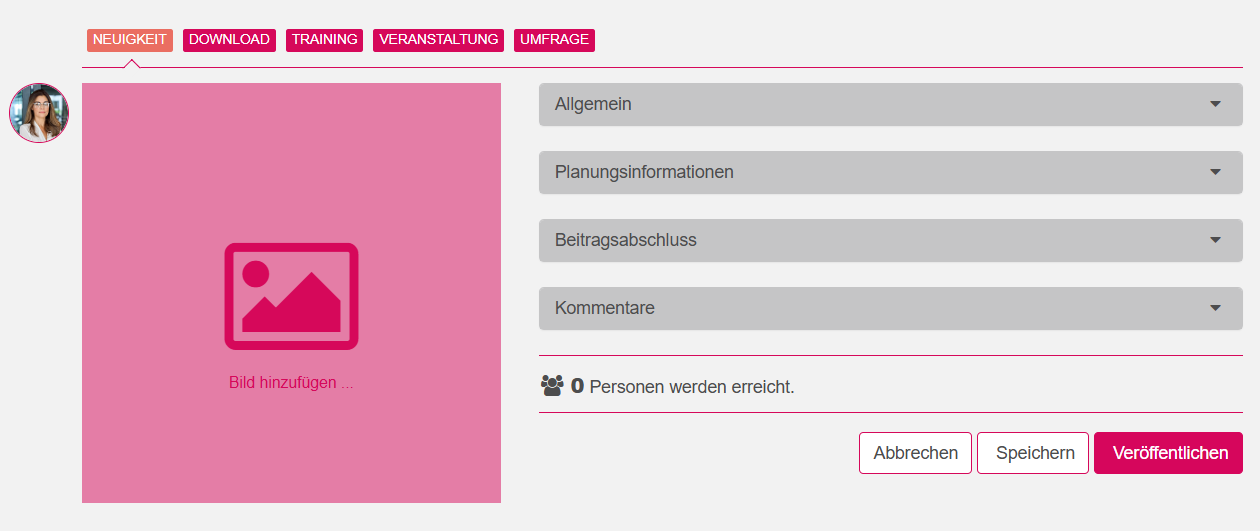
"News" post type
News posts are simple text posts. You can use them to inform your employees about current topics, such as new employees, changed work processes, or updated pricing structures.
"Download" post type
This post type lets you provide users with files to download. These can be documents such as training materials, as well as presentations or video recordings, for example. Please note that files must not exceed 1024 MB.
"Training" post type
If you select the "Training" post type, you can upload e-learning courses for your platform's users. Learners can automatically receive a certificate when they complete the course. You can also configure detailed course-completion settings, such as regular repetition of the learning content. This makes it easy to train your employees on subjects such as compliance, fire protection, and occupational safety in an audit-proof way.
"Event" post type
Here, you can set up both in-person and online events. You can invite participants, maintain participant lists, issue certificates, and store links to online meeting rooms. This lets you plan and organize training sessions or company events with ease.
"Survey" post type
This post type lets you publish surveys. They can be answered with one or more responses or free text. You can also specify whether responses can be changed afterwards and whether they are visible to all users.
You can make extensive, detailed settings for every post type to adapt the post optimally to your goals. To learn how to create a post and which settings are available, see this article.
Was this article helpful?
That’s Great!
Thank you for your feedback
Sorry! We couldn't be helpful
Thank you for your feedback
Feedback sent
We appreciate your effort and will try to fix the article